
UNIwise launches Marking Studio at MoodleMoot Estonia 2026
UNIwise launched Marking Studio at MoodleMoot Estonia 2026: an LTI tool that adds advanced marking and feedback to Moodle without replacing your LMS.

A new maker-first way to strengthen marking, feedback and integrity - without replacing your LMS
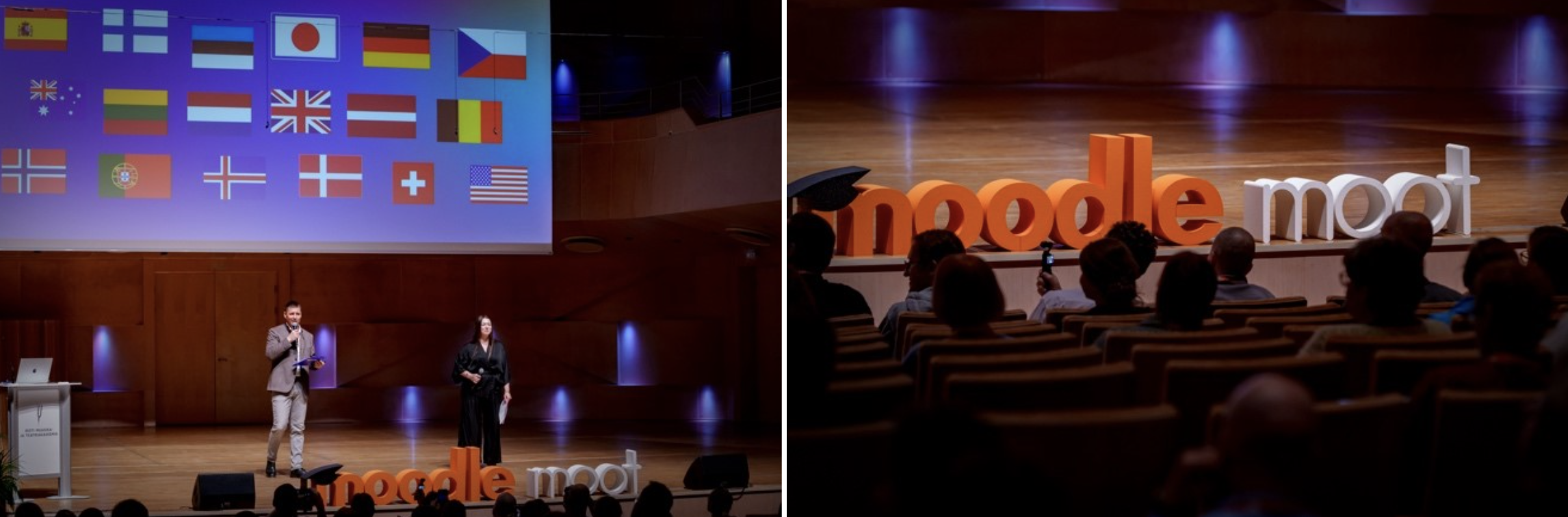
MoodleMoot Estonia 2026 became the stage for our first public launch of Marking Studio - our new, marker-first product suite designed to extend Moodle’s (or any other LMS/VLE) assessment capabilities through a clean LTI 1.3 integration. We joined as a sponsor with an exhibition booth and used the conference as our official launch moment - meeting Moodle administrators, educators, and partners in exactly the ecosystem we built Marking Studio for.
Marking Studio is built on a simple premise: keep Moodle or your LMS as the backbone - add Marking Studio where assessment needs more, directly from the course workflow. It is designed for opt-in adoption: start with one module, one course, one team, and expand only if and when it makes sense.
The setting and the vibe: Tallinn, EAMT, and two days of practical conversation
The event took place at the Estonian Academy of Music and Theatre (EAMT) in central Tallinn — a venue that genuinely suited the conference theme, “Creativity and Collaboration in the Age of AI.” The overall tone felt community-driven, open, and grounded in real-world practice: plenty of hallway conversations, honest “how do you run this at scale?” questions, and the kind of practical curiosity that makes Moodle events valuable.
As sponsors, we had the pleasure of meeting participants throughout the two days at our booth - not only to demonstrate Marking Studio, but also to understand how Moodle teams think about adoption, governance, integration, and operational fit.

Our session: “from paper to AI” - and why Moodle teams leaned in
In our conference session - “From Paper to AI: How Marking Studio Brings World-Class Assessment to Moodle” - Amir and I introduced Marking Studio as a marker-first, modular suite that integrates with Moodle via LTI 1.3, bringing professional marking and feedback into the course workflow without requiring a platform replacement.
The storyline was intentionally practical. Moodle already provides a strong foundation, but institutions increasingly need stronger support for feedback quality, consistency, integrity, authoring, secure delivery, and paper-to-digital workflows in their assessments and exams - and many want that support without shifting or migrating into a dedicated assessment platform.
Amir's live demo: capability, not complexity
A key moment in the presentation was Amir’s demonstration of Marking Studio in action - walking through how the suite fits into the marking flow and how the modules can be used as standalone wins.
The point was simple: Marking Studio launches from Moodle’s course context and keeps the workflow professional - without extra logins or context switching.
The (friendly) MoodleMoot joke: “yes - it works across Moodle versions”
MoodleMoot audiences often care deeply about upgrades, versions, and technical detail — and we do too. But one of our strongest messages was that Moodle version fragmentation is real, and many institutions run older versions than “the newest Moodle in theory.” Real value comes from adding capability without waiting for an upgrade programme.
So yes - we may have slightly disappointed the upgrade enthusiasts by insisting that Marking Studio is designed to bring modern assessment capability into the Moodle workflow regardless of where an institution is on its upgrade journey.

What Marking Studio adds to Moodle - in plain terms
Marking Studio integrates via LTI 1.3, supporting single sign-on, deep links, optional auto-enrolment, and grade passback, while keeping Moodle as the entry point. What stays in Moodle includes course spaces and enrolments, identity controls, administration and user management (and the LMS backbone experience).
What Marking Studio adds (from the course page) is a modular set of professional capabilities, including:
- Professional marking tools
Rubrics, inline annotation, moderation and review workflows — with a clean evidence trail. - AI-assisted feedback (human-in-the-loop)
Drafts feedback and grade justifications aligned to rubrics, while educators stay fully in control: review, edit, approve (or reject), with logging and governance support. - Originality in context
Integrity insights where you mark - reducing workflow sprawl and making interpretation easier. - Advanced assessment (MCQ + authoring/content bank)
Rich question types, item reuse, analytics-ready structure, and secure delivery options when needed. - Paper-to-digital workflows
Scan once, auto-route, and mark digitally - especially relevant for handwriting-heavy programmes.
Add to that the added value of having an integrated Lockdown Browser for secure exams and assessment to be used when needed in the suite. And, crucially for Moodle institutions: the adoption model is opt-in, not all-or-nothing, with no process lock-in. Solve one pain first, then expand if value is proven.
Then the broader conference: AI, integrations, and the Moodle ecosystem at work
After our own launch moment, it was valuable to step back into the wider programme and listen to what Moodle teams across regions are focusing on right now. The agenda reflected the pressures and possibilities many institutions are navigating: AI in education, learning analytics, assessment design, integration patterns, accessibility, and the ongoing work of maintaining and evolving Moodle at scale.
Just as important were the conversations in between - the practical, human layer that often defines Moodle community events. That’s where real insights surfaced: what procurement cycles look like, where governance blocks improvement, why adoption is often elective, and how institutions think about adding capability without increasing complexity.
We are here to help
Whether you are just starting with digital assessment or want to get more out of it, we are happy to share how other institutions run it in practice. Please reach out or request a demo.
Frequently asked questions
Marking Studio is a marker‑first product suite developed by UNIwise that enhances assessment workflows in Moodle or other LMS platforms. It adds advanced marking, feedback, integrity, and authoring capabilities directly within the course environment.
Marking Studio integrates via LTI 1.3, enabling single sign‑on, deep linking, optional auto‑enrolment, and grade passback. This allows institutions to keep Moodle as the core system while extending its assessment functionality seamlessly.
No. Marking Studio is designed to complement—not replace—existing LMS/VLE systems. Institutions continue to use their LMS as the backbone, while Marking Studio adds specialised assessment capabilities where needed.
Marking Studio introduces professional marking tools such as rubrics, annotations, moderation workflows, AI‑assisted feedback with human oversight, originality insights, advanced question authoring, paper‑to‑digital workflows, and secure exam delivery options.
Adoption is flexible and opt‑in. Institutions can start with a single module, course, or team and expand gradually as needed—without requiring a full system migration or major process change.
A marker‑first approach focuses on improving marking quality, consistency, and workflows for assessors. By aligning tools closely with real assessment practices, institutions can deliver better feedback, stronger integrity, and more effective learning outcomes.