Last week, UNIwise hosted a webinar together with Schoolyear on one of the most pressing challenges in higher education right now: how do you run high-security digital exams while still giving students access to the real desktop tools they need?
The response was clear — with more than 85 registrants from over 50 institutions across Europe, the topic struck a chord.
”Authentic doesn’t have to mean unprotected - and locked-down doesn’t have to mean disconnected from how graduates actually work.”
THE CHALLENGE INSTITUTIONS ARE FACING
Across higher education, there is a growing wish to assess students in ways that reflect how graduates will actually work, applying knowledge with the same tools they will use in practice. Excel, SPSS, R, IDEs, CAD packages, discipline-specific software.
But moving to applied, tool-based exams introduces a different problem. As soon as you let students use real desktop applications, the integrity questions surface: how do you prevent access to the internet, AI assistants, personal files, or background apps? How do you keep the exam genuinely secure when the device is no longer a locked-down browser?
WISEflow’S LAYERED APPROACH TO INTEGRITY
A central message of the webinar was that exam integrity is not a single switch. WISEflow gives institutions a layered set of integrity options, chosen per assessment rather than imposed as a single one-size policy across the curriculum:
-
Device Monitor - open desktop with full activity logging and screen capture, for applied exams where openness is acceptable.
-
Lockdown Browser - WISEflow’s native client for standard closed-book exams.
-
Soft invigilation - facial comparison and audio detection layered onto lockdown, GDPR-aligned.
-
Full live proctoring - EU-hosted, ISO 27001 certified, AI-assisted review.
-
WISEflow + Schoolyear - the option you reach for when the exam needs real desktop applications inside a locked-down environment.
Most institutions use more than one of these. The session zoomed in on the strictest option - WISEflow with Schoolyear - which is the one that solves the tension at the centre of this article: how to run high-security exams that still give students access to real professional tools.
HOW WISEflow AND Schoolyear WORK TOGETHER
Schoolyear provides a safe exam workspace that integrates with WISEflow during the exam session. It launches the student’s device into a controlled environment where only the applications the institution has approved are available - Excel, SPSS or R, the IDE the course uses, domain-specific software like MATLAB or AutoCAD. Everything else is blocked: no browser, no AI tools, no personal files reachable inside applications, no background software.
The list of permitted applications is defined in advance by the institution, in collaboration with Schoolyear, so it fits the specific needs of each exam. WISEflow then delivers the exam and handles the assessment workflow - authoring, delivery, anonymous marking, analytics - inside that secure environment. Students work with real professional tools on a real task, and the institution retains full control over what is reachable on the device.
The result is what the webinar called authentic assessment design without giving up locked-down exam security - a combination that is genuinely rare in the market today.
FROM THE Q&A
The webinar sparked a lively Q&A. Two questions in particular stood out as broadly relevant for institutions considering this approach:
“What happens if a student’s internet connection drops during the exam?”
The exam pauses automatically. Once the connection is restored, the student can resume exactly where they left off - no data is lost and the exam session continues seamlessly.
“Can students access tools like OneNote during the exam?”
Not by default. Applications like OneNote are blocked unless the institution explicitly adds them to the list of permitted programmes. The default posture is deny-by-default - institutions have full control over what students can and cannot access, and the permitted application list is configured in advance together with Schoolyear.
WATCH THE RECORDING
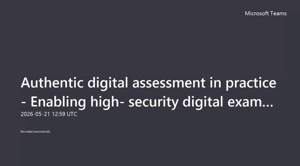
If you missed the webinar or would like to revisit the session, the full recording is available here:
Interested in exploring what this could look like at your institution?
Reach out to Wim Graas, CEO & Founder at Schoolyear, at w.graas@schoolyear.com - or contact your UNIwise representative directly.